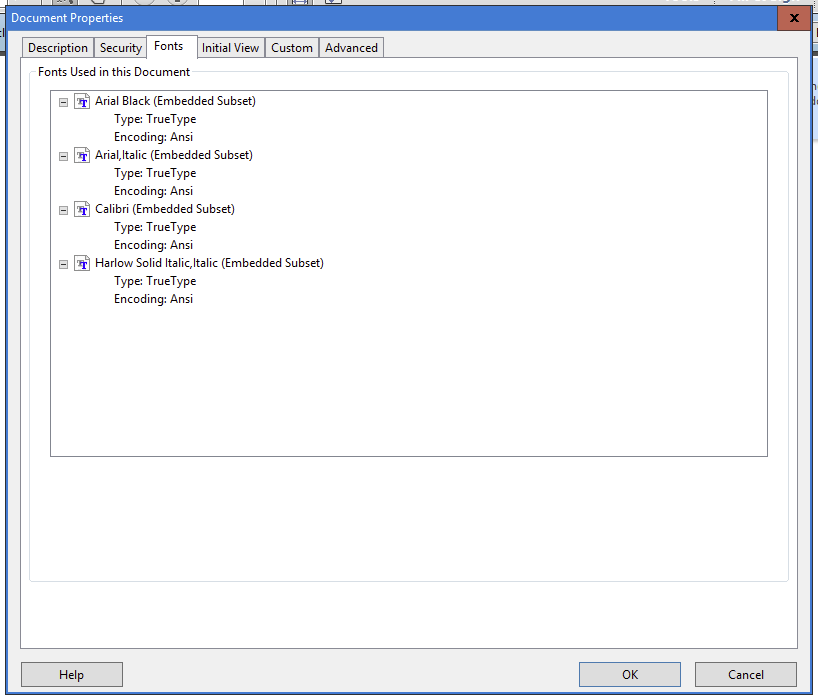
This article describes the best way to create a printable PDF file from a Word document. Keep in mind that the colors will be RGB and will need to be converted to a printable color.
To create a PDF, select the File Menu

Then select Save As from the list

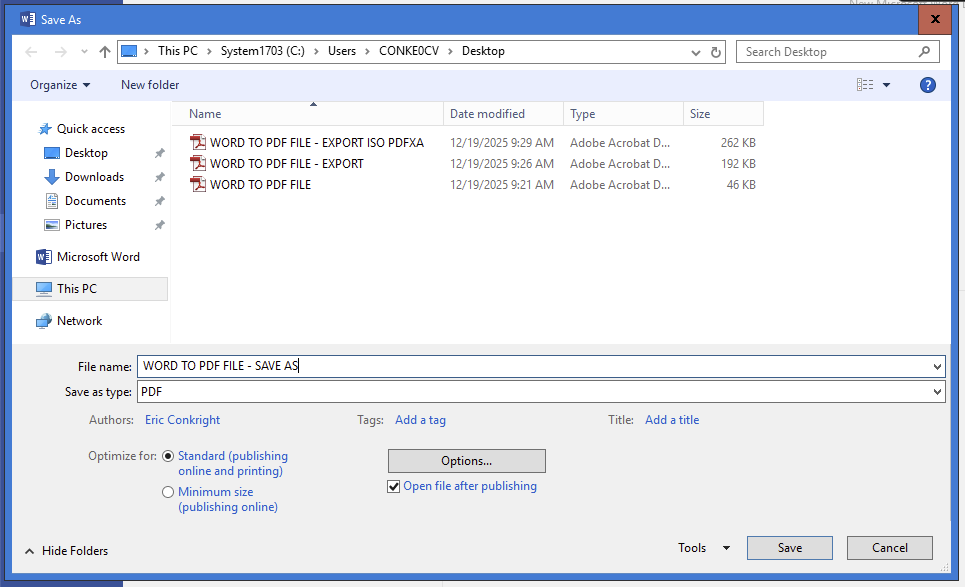
In the Save As Dialog box you'll need to name your PDF and designate a location for the PDF file, and select the Options button.
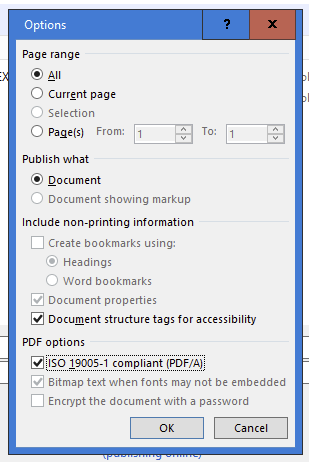
In the Options menu, ensure that ISO 19005-1 Compliant PDF/A is selected then click OK and then click Save in the Save As menu.
It's important that in the PDF file, you view the Properties (Control D - PC or Command D - MacOS) and select Fonts to ensure they are either Embedded or Embedded Subset.