

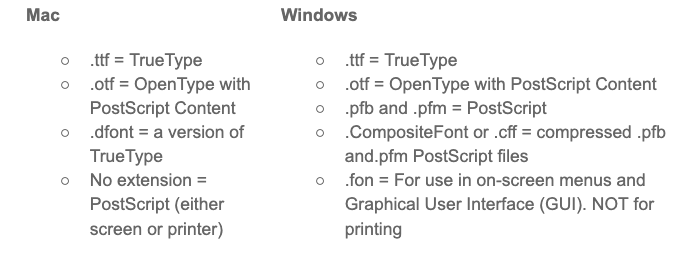
You can tell what most font types are by looking at the extension.
Another, more visual, way to tell which type of font you are using InDesign is to open your file and click Type > Find Font...
A window listing all the currently used fonts will open. It may look something like this:
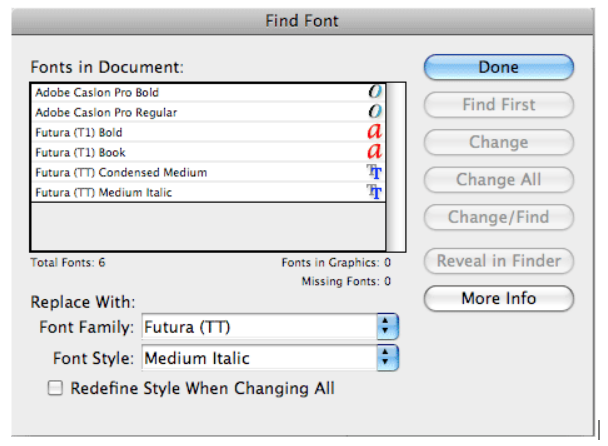
Adobe Caslon Pro Bold (OpenType)
Adobe Caslon Pro Regular (OpenType)
Futura (T1) Bold (PostScript)
Futura (T1) Book (PostScript)
Futura (TT) Condensed Medium (TrueType)
Futura (TT) Medium Italic (TrueType)
The OpenType fonts appear with an "O" icon next to them, the PostScript fonts have a red "a" icon and the TrueType font icon has a gray and a blue "T."