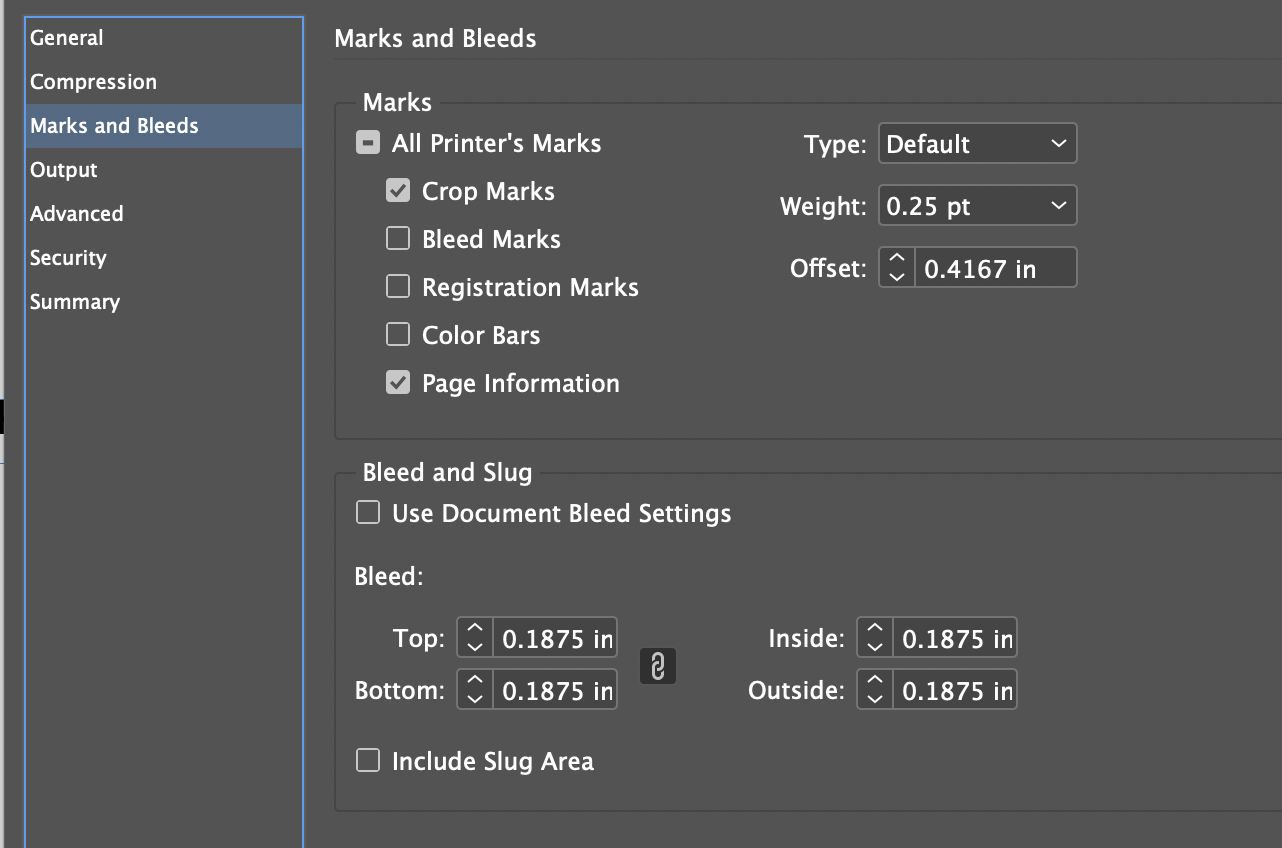
We recommend not using bleed marks, registration marks or color bars. When exporting a PDF file from InDesign, a trim box will be applied to the PDF. The Crop Marks represent the trim box in the Marks section so this output option needs to be selected in the Marks and Bleeds setting of InDesign. It is also important to select Page Information in the same output option section of InDesign in order to place the document name and the date and time stamp into the PDF, as text placed on each PDF page.
Set the InDesign Marks and Bleeds Offset value to 0.4167 inches or 30 points so that they will not interfere with the bleed or later manufacturing processes.
We recommend that the output settings for bleed are set to 0.1875 in so that PDF files have sufficient bleed for printing.