How to install and use Lakeside Book's InDesign presets
These presets permit you to export PDF files from InDesign. These presets work
for InDesignCS versions 3 and greater, including Creative Cloud versions.
Installing Preset
Start InDesign
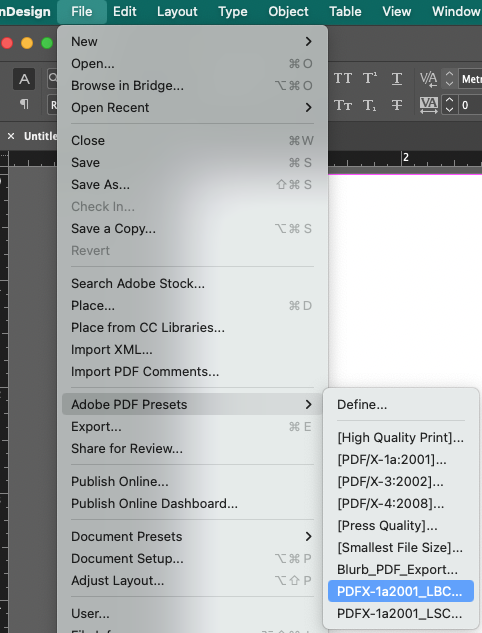
Go to File menu and select Adobe Presets > Define
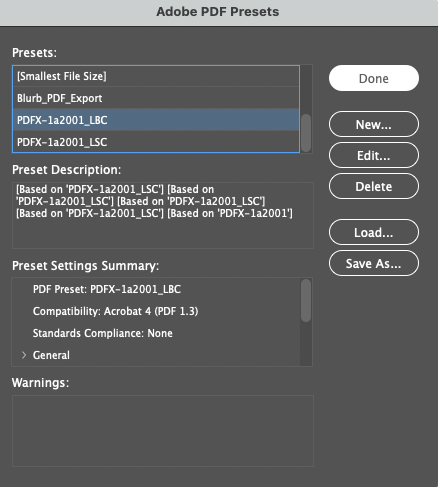
Click the Load button.
Navigate to the file named PDFX-1a2001_LBC.joboptions, click on it, then click on the Open button.
Notice in the Adobe PDF Presets window that you now have a new preset called PDFX-1a2001_LBC. Then click on the Done button.
Using Preset to make PDF files
Open the InDesign file.
Go to the File menu and select Adobe PDF Presets > PDFX-1a2001_LBC
Name the file and select the destination folder. Click on Save.
Click on Export button at next window.
Send resulting PDF file to Lakeside Book.